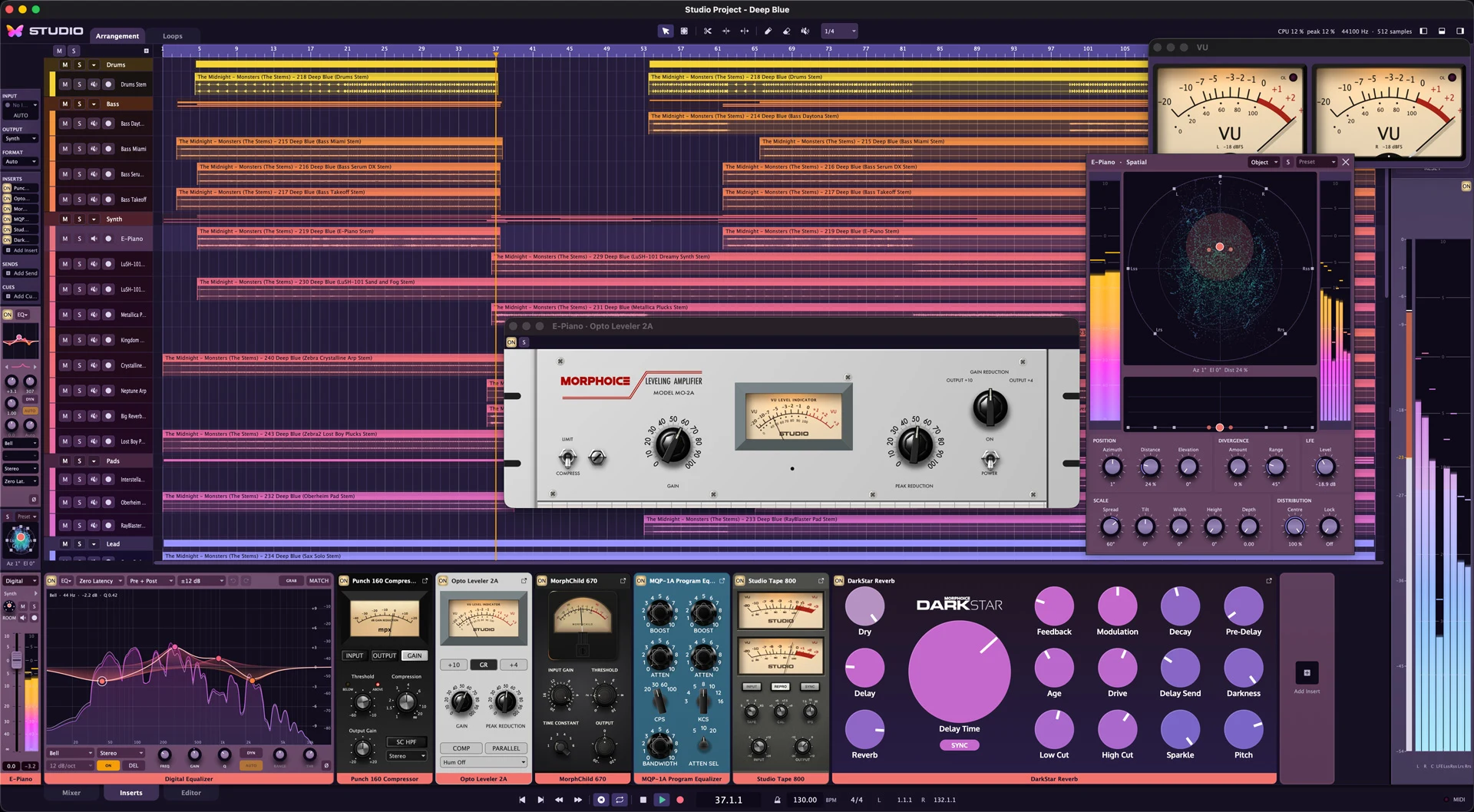
The DAW with an analog soul.
Studio is a digital audio workstation with analog summing for Mac, PC & Linux that combines modern production workflows with the sound of an analog console. Record, arrange, edit and mix in an interface that looks and feels like a real desk: with channel strips, faders, VU meters and four distinct console models you can choose per channel. On top of that you get a precise digital EQ, surround and 3D mixing up to 7.1.4, headphone mixes for the whole band, and project management that protects your work even when something goes wrong.
“Which DAW’s your favorite?”
“Studio.”
“Which one?”
“JUST STUDIO.”
Mix and match fully clean digital 64-bit double-precision with four circuit models of analog console channels.
With dynamic bands, linear-phase mode and EQ Match.
Loop recording with takes, swipe comping, punch-in, count-in and up to eight headphone mixes.
Studio's audio engine natively supports Stereo and Surround up to 7.1.4 for immersive mixes.
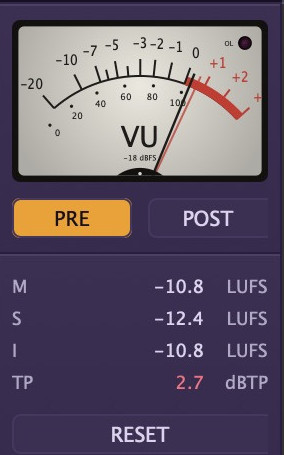
VU meters with true needle ballistics, loudness in LUFS with true peak, K-System scales.
No long loading times, splash screens, cluttered popups. Get your ideas down fast, as soon as inspiration hits.
Each channel is either digital – clean and uncolored – or runs through one of four console models. All freely combinable per channel and on the mix bus – run Magnetica on your channels and sum through Borealis, for example.
Tight, punchy and controlled.
Studio's default console, inspired by the VCA-based British large-format consoles of the late '70s and '80s, such as the SSL 4000 E/G: precise, punchy and controlled.
Warm and thick, with a rich low end.
Inspired by the transformer-coupled Class A sound of the classic Neve 1073: warm and rich, with transformer character and its own three-band EQ.
Vintage color with a distinct midrange.
Inspired by the EMI TG12345, the late-'60s transistor console from Abbey Road: transistor coloration with vintage charm.
A modern, clean analog console with subtle character.
Set the master to a console and everything arriving there runs through its summing stage – digital or analog, track or group. Group and FX channels can sum analog too. You can mix consoles: channels from one console, summing on another.
On Borealis, Magnetica and Twilight, the Drive control ranges from −5 (clean) through 0 (the console's own character) to +5 (driven harder, louder, more color). The center position is loudness-matched so you judge sound, not level.
A switch on the master takes all console stages out of the signal path at once, crossfading smoothly. So you instantly hear what the analog chain contributes to your mix – the console EQs stay active.
If you want it fully authentic, you can add the faint mains hum of an analog summing bus – set to 50 Hz, 60 Hz or off. The console models are tuned for all common sample rates from 44.1 to 192 kHz.
All product names are trademarks of their respective owners and are used solely to identify the products whose sound was studied. Studio is not affiliated with or endorsed by them.
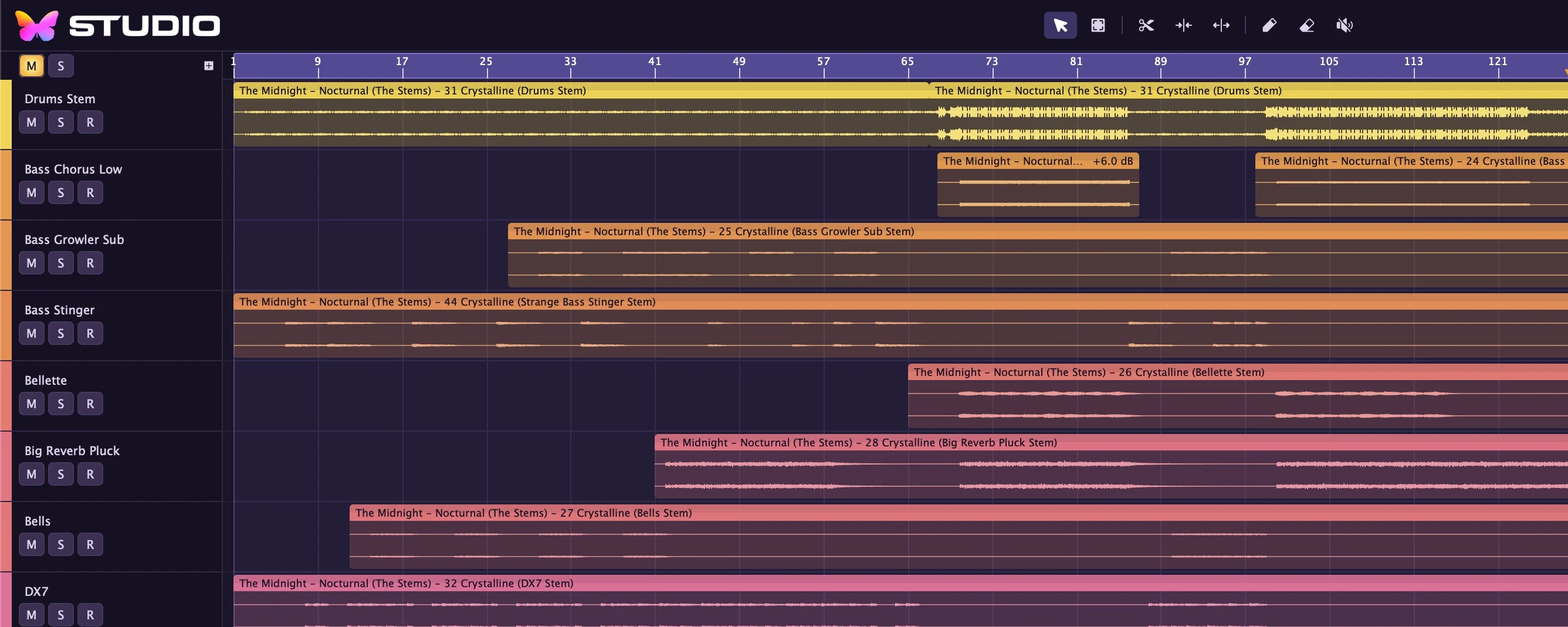
Select, Range, Split, Join, Stretch, Draw, Erase and Mute are in the top bar, in the right-click menu and on number keys 1 to 8. So you can switch tools without taking your eyes off the track.
Drag length, fade-ins and fade-outs and clip gain directly from the clip's handles. Where clips overlap, Studio crossfades without a dip in level; one click takes care of any transition.
Split at the mouse position, playhead or loop points, trim to the playhead, duplicate, repeat multiple times, mute, copy, cut and paste – all via right-click or the familiar keyboard shortcuts. Planned option to define your own shortcuts to conform to your known workflow.
Volume, pan, send levels and every parameter of your plug-ins get their own automation lanes right above the clips. Draw, move and delete points with the mouse; move an automated fader or pan control during playback and Studio records the movement. Automation stays in time even behind plug-ins with latency.
With the Range tool you select a section across several tracks and split, delete or loop it in one step.
Everything snaps to the project grid and quantization; hold Shift to place freely.
Pinch-zoom on the trackpad or drag vertically in the ruler; dragging horizontally in the ruler sets the loop range. When stopped, drag the playhead across the material and listen along (scrubbing).
Drag audio and MIDI files from the Finder straight onto a track or into the empty area – Studio places them at the drop position and converts the sample rate automatically.
Rearrange tracks and channel strips by drag & drop, give them colors and names, duplicate them, or clear out empty tracks in one go with "Remove Empty Tracks".
Fully zoomable and themeable GUI and channel colors, pinch to zoom/magnify on mix & control elements.
Undo and Redo show in the menu exactly which step will be reversed.
With loop enabled, each pass becomes its own take. The latest complete take is immediately your comp – so you can simply keep playing until it's right. Elaborate comping features planned.
Clicking "T" in the track header expands the takes below the track. Swipe across the part of a take you want to hear, click a take to use it in full, or delete it with a right-click.
Auto Punch records exactly within the loop range, and the count-in gives you a bar's run-up. The metronome level is adjustable and can also be sent to the headphone mixes if you like.
For each track you choose a mono or stereo input, arm it, and monitor the input directly when needed.
Load your favorite instrument as a plug-in, play it live from any connected MIDI keyboard and record straight into new MIDI clips – with count-in and punch, just like audio. Newly connected MIDI devices are ready to play immediately.
Draw, move, resize and delete notes, set velocity in a dedicated velocity lane, transpose with the arrow keys (by octaves with Shift) and quantize to the grid with "Q" – from quarter notes to thirty-second notes, including triplets.
A MIDI track controls an instrument on another track or your hardware synthesizer via a MIDI output, on any MIDI channel you choose.
Standard MIDI files are distributed across instrument tracks and are ready to play immediately.
When stopping, jumping and looping, Studio cleanly ends every playing note. Notes that extend past the start position still sound.
No horrible wait time to scan your system's plug-ins. New plug-ins re-scan fast and don't keep you from working.
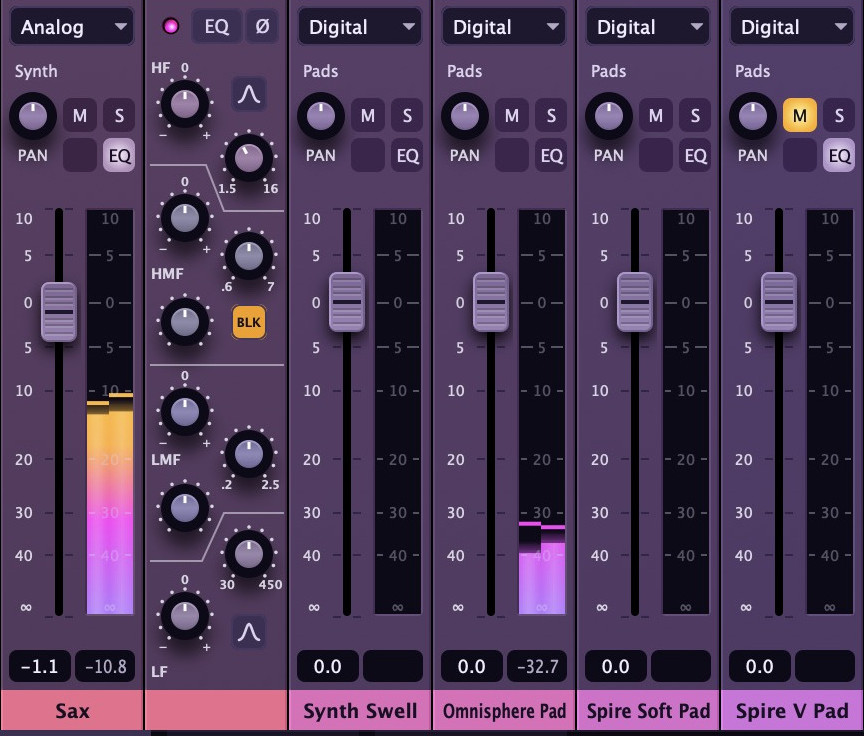
Channel strips with fader, pan, mute and solo, level meter and color label. Double-click to collapse a channel strip into a slim meter view when you need space.
One click on the channel-type selector turns the channel into a digital or a console channel; a right-click opens drive, input, inserts, sends, headphone mixes, output and format directly on the channel strip. The output field shows where the channel is going and changes the destination with one click.
The "e" button opens the channel's EQ section to the right of the channel strip – like the EQ section on a real console, right next to the fader. Several channels can be open at once.
The left sidebar follows the selected track and shows everything in signal-flow order: input, inserts, sends, headphone mixes, output and channel format – alongside the channel strip of the destination.
Group and FX channels with pre- and post-fader sends, outputs to groups or master, and automatic delay compensation across the entire routing.
Polarity invert per channel, mono, stereo or automatic channel format, global mute and solo with "Unmute All" and "Mute Again", which restores the most recently active mutes.
Analog channels come with their console's EQ, flat and neutral until you need it:
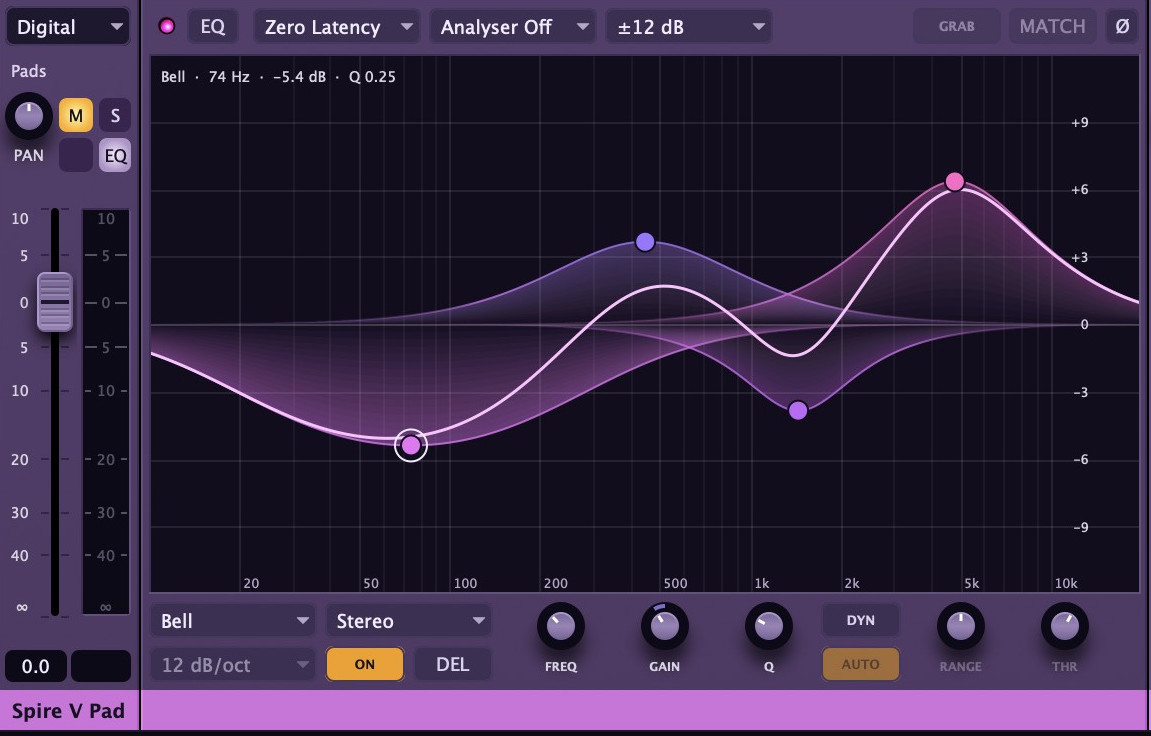
Digital channels get a full-featured parametric EQ with up to 32 bands that you create and drag directly on the curve over a live spectrum:
Bands whose gain follows the level in the band, with optional automatic threshold.
Zero latency, Natural Phase with analog phase behavior at low latency, or Linear Phase in three quality levels.
Pre, post, or pre and post EQ, with switchable display range.
Studio marks the strongest peaks in the spectrum – drag a marker and a matching bell band is created at exactly that spot.
Take one track's spectrum as a reference and match another track to it with up to eight bands.
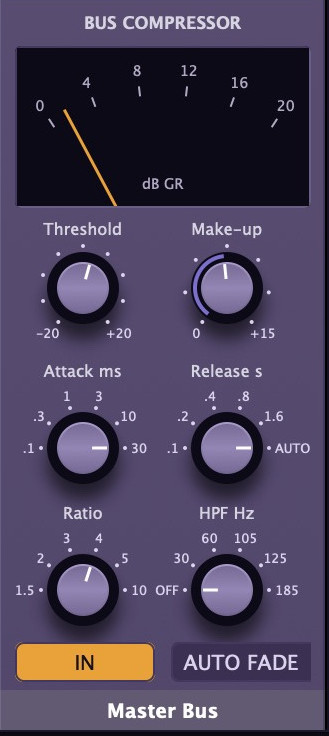
On the mix bus sits a bus compressor in the style of classic console bus compressors: threshold, ratio, stepped attack and release times with auto-release, sidechain high-pass and make-up gain – the glue that holds a mix together. The "Auto Fade" button smoothly fades the mix bus out and back in at the push of a button.
Two VU meters with needle ballistics to IEC 60268-17, a peak-hold pointer and an overload lamp. Reference levels are adjustable (including −18 dBFS per EBU R68 and −20 dBFS per SMPTE RP155), and the metering point can be before or after the bus compressor and master fader. One click detaches the VU meters as a large, freely resizable window.
Momentary, short-term and integrated loudness in LUFS per ITU-R BS.1770, plus true peak in dBTP, with reset at the push of a button.
The master meter shows either the digital scale or the K-System scales K-20, K-14 and K-12, optionally with true-peak display.
The status bar shows CPU load and peak load and flags every dropout with a red OVERLOAD indicator.
Every project runs in stereo or in a speaker format: 5.1, 5.1.2, 5.1.4, 7.1 or 7.1.4. Groups, FX channels and master then automatically work in the selected format.
Each channel is either a bed in the speaker format or an object that you place in a top-down room view – direction and height with the mouse, plus width for stereo objects.
One click switches monitoring to a stereo downmix, for example for headphones. On export you choose between the full multichannel mix and the stereo downmix.
Every musician gets their own headphone mix with its own level, pan and pre- or post-fader tap per channel, output on a pair of outputs on your interface. Cue mixes can be named and muted.
When you solo a channel in the control room, the musicians' headphone mix stays unchanged. You can send the metronome to the headphone mixes too if you like.
Studio loads your effect and instrument plug-ins and automatically compensates their latency across the entire routing – including sends, groups and FX channels. Bypass switches click-free and without timing offset.
The plug-in scan runs in parallel and sandboxed: a plug-in that hangs or crashes ends up in the list of failed plug-ins instead of holding Studio up. Rescan new and changed plug-ins selectively, and retry failed ones at any time.
The selected track's effect chain sits as a row of cards below the arrangement: switch on and off, reorder, open the editor. On each card you place the controls you actually need – in configuration mode, move a control in the plug-in window and it appears on the card, with its own color and across multiple pages. Save your selection as the default for that plug-in.
Save a complete effect chain with all its settings as a Chain, sorted into your own folders, and load it onto any other track – appended or as a replacement. Recently used plug-ins appear at the top when adding.
Plug-in windows float above Studio and step aside as soon as you switch to another app.
With the Stretch tool you drag an audio clip to its new length – from half to double its duration, without changing the pitch. The result is audible immediately while Studio renders the final version in the background. Studio remembers rendered versions, so they're usually available instantly the next time you open the project.
Freeze tracks with instruments or effects via right-click to save processing power – and unfreeze them just as quickly.
Studio renders the mix bus faster than real time as WAV at 16 or 24 bit (with dither) or 32-bit float, either the whole project or just the loop range. After export you see duration, channel count and peak level – and a warning if anything clipped.
Open projects even if plugins act up or something goes wrong. Studios project architecture ensures your work isn't lost or broken by minor issues.
When inspiration hits, you don't want to wait for projects to load for ages. We have you covered to get you back in right where you left off.
On launch, Studio opens your last project at the last playhead position. You can also open projects by double-clicking in the Finder or via "Open Recent".
Light from above, sculpted channel strips, faders with ridged caps, domed knobs and color labels for every channel. Controls only move when you drag them – the mouse wheel scrolls the view, not your mix by accident.
The entire interface scales from 100 to 200%. Show and hide the sidebar, mixer and master column with a button or keyboard shortcut; at the bottom, switch between Mixer, Inserts and Editor.
Choose between the "Aurora" and "Dark" themes or design your own. Adjust continuously how strongly the channel colors flow into the channel strips.
Studio spreads the mix across multiple processor cores, automatically pauses idle tracks and effects, and makes start, stop, jumps, mute and solo click-free.
Space for start/stop, R for record, C for metronome, / for loop, A for automation, F3 to F5 for Mixer, Inserts and Editor, 1 to 8 for the tools.
Who want to record fast: loop recording, swipe comping and headphone mixes for the whole band, without detours.
Who want to combine instruments, MIDI and audio in a clear interface and keep using their favorite plug-ins.
Who value the sound and workflow of an analog console – with console models, VU meters and bus compressor – without giving up the precision of a modern digital EQ.
Who create surround and 3D mixes up to 7.1.4 while keeping an eye on a stereo version.
Studio backs up automatically and opens projects safely, even when a plug-in acts up.
MAC
macOS (minimum version to be confirmed)
Mac with Apple silicon
PC
Windows (minimum version to be confirmed)
64-bit PC (x86-64)
LINUX
Linux (minimum version to be confirmed)
64-bit PC (x86-64)
Exact processor requirements: to be confirmed.
VST3 on all platforms; Audio Units on macOS.
Low-latency, low-level audio on every platform – Core Audio on macOS, ALSA, JACK and PipeWire on Linux, and native low-latency drivers on Windows – with any audio interface your system supports.
.aurora project files; audio import including WAV, AIFF, FLAC and many more; MIDI import as Standard MIDI File.
Video support · DMX support